I-0026FailsYou can fix this
Several different images share one description
- Status
- Confirmed as a problem. Decided by demo@harborandpine.test on Nov 16, 2026 (E-0069)
- Found on
- 4 pages, in 32 places
- Reading
- same text
- Required
- unique
- First found
- Scan 1, Nov 15, 2026
- Last seen
- Scan 22, Nov 16, 2026
Who this affects
Three or more different images on this page have the same description, often just the product name. Screen-reader users hear the same words for each one and can't tell the photos apart.
- Blind people using screen readers
- People with low vision
How to fix it
- Open the product or page in your editor and go to its images or media.
- Give each image its own alt text that says what's different about it, such as "Linen apron, back view" or "Close-up of the front pocket".
- If your theme fills every image with the product name no matter what you enter, ask your developer to use each image's own alt text instead.
Suggested alt text
Written by AI from what the scan found. Check it before you use it; we never change your site.
Short
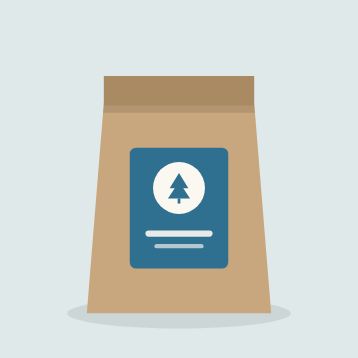
Brown paper coffee bag with a blue label and pine tree logoDescriptive
A tan kraft paper coffee bag with a blue label showing a white circle with a dark green pine tree above two white lines.Pick one, edit it if you like, and paste it into the image’s alt text field in your site’s editor.
Suggested fix for your site
Written by AI from what the scan found. Check it before you use it; we never change your site.
This photo is the third image in the Driftwood Blend gallery, and it has the same description as three other photos. People who use a screen reader hear "Driftwood Blend" for each one and can't tell the pictures apart.
- Open the Driftwood Blend product in your site editor and go to its images or media.
- Give each photo its own short description that says what that photo shows, such as "Driftwood Blend beans, close-up" or "Driftwood Blend bag, back view".
- If your theme keeps filling in the product name no matter what you type, ask your developer to make the gallery use each image's own description.
When it’s fixed
In your own workspace you’d mark it fixed, with a note, and we’d rescan its pages to check. This demo is read only.
Where we found it
- Driftwood Blend | Harbor & Pine Coffeehttp://harborandpine.test/products/driftwood-blend/
- Ethiopia Guji | Harbor & Pine Coffeehttp://harborandpine.test/products/ethiopia-guji/
- Harbor Decaf | Harbor & Pine Coffeehttp://harborandpine.test/products/harbor-decaf/
- North Cove Espresso | Harbor & Pine Coffeehttp://harborandpine.test/products/north-cove-espresso/